
The Easiest, Fastest AI Illustrations
How to crank out an image when you need one fast

I’m often asked where I get all the images I use for the posts on this site and others, and how they’re produced. And although you’ll seldom hear it mentioned when discussions of producing AI images take place, I find that if you’re just looking for a basic image to get your point across, it’s impossible to beat Bing for ease of use, speed, and free access.
I use it almost every day. However, there are some limitations. First, it probably has some of the strictest restrictions of any AI image service. You won’t be producing any pretty girls in bikinis or action images involving any violence or weapons, and it won’t do real people either. Even long-dead historical figures can be questionable.
But the approach is simple. If you have a Microsoft account, which all Windows users do, you can use it to log in and produce up to 15 images every day, which is usually 10 more than I ever need even on a busy posting day.
Then put your prompt into the text box and press the blue CREATE button. For example, I was looking to make a cover image for a new Vibe Patrol song I was putting up on UATV. The song is called Sacris Solemnis and it’s my first successful effort at producing an Enigma-style vibe using Gregorian Chant, some cool strings, and a trance beat using Suno 4.5, Reaper, and Bandlab. You can judge how well I succeeded here, if you like. It’s not a final product, but you’ll get the basic idea.
So, here’s the Bing prompt for the cover image:
A group of monks wearing white robes with big red maltese crosses on the front stand inside a beautiful, massive natural cave. Spiritual. Medieval. Majestic. Somber. Slight impressionist style.
The key for reliably producing attractive images, I’ve found, is to request “slight impressionist style” in order to reduce a bit of the excess shine that appears in most AI-generated images. Straight “impressionist style” doesn’t usually work, as the simulated brushwork is too raw and overt, but “slight impressionist style” usually delivers nicely. This is the best of the four 1024 x 1024 images that were offered.
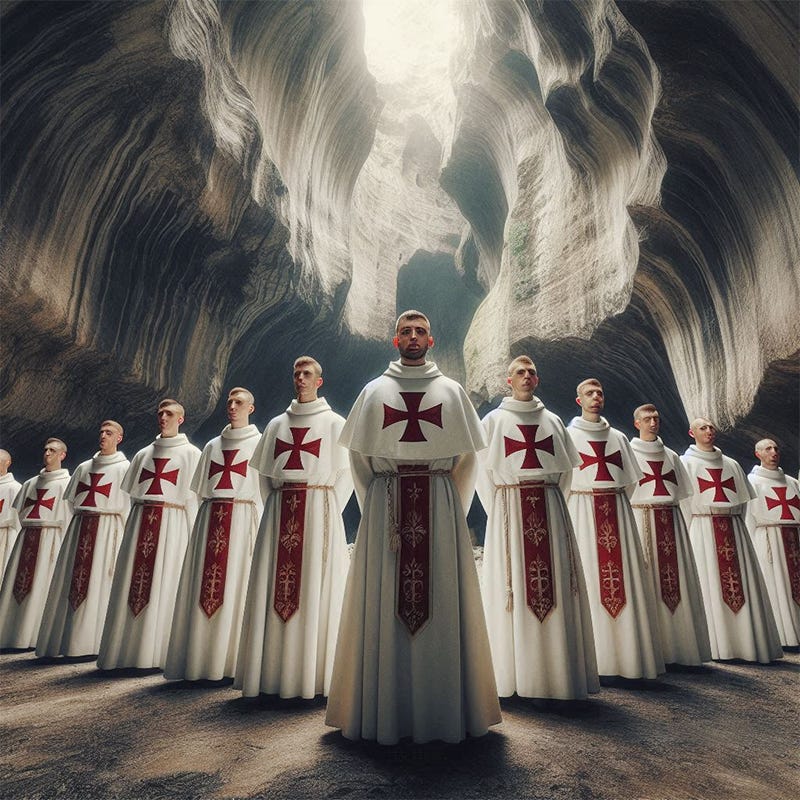
Not bad, and it suits the overall vibe of the song pretty well. But there are two problems. First, some of the faces of the monks are a little disturbing and a bit too on the monstrous side for a song featuring lyrics written by St. Thomas Aquinas. Second, the cover images on UATV are 960 x 540, and although I could cut that out of the 1024 x 1024 image provided, I’d prefer to tell Bing to put a landscape spin on this in order to get a more similar layout.
Generating a landscape image is easy, although keep in mind that it requires generating a square image first. Even specifying Landscape or (4:3 aspect) in the prompt won’t work. But after you produce the first set of square images and click on the thumbnail to see the full-resolution image, you’ll see your prompt on the right side of it, along with some options. If you click the Resize button, then select the Landscape (4:3) box, Bing will immediately start generating a similar image on the basis of the same prompt at 1792 x 1024 resolution.
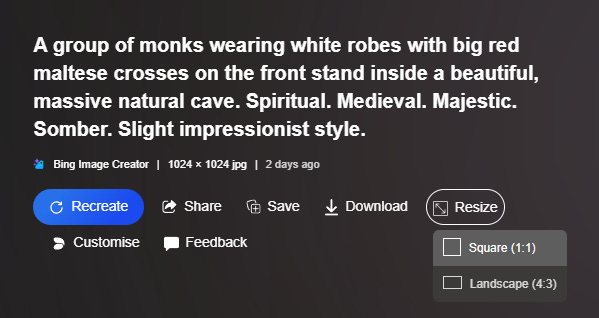
Word of warning: for some reason, Bing not infrequently goes out to lunch when asked to provide a Landscape image and never returns. If that happens, don’t worry, just repeat the process again using the same image a few minutes later; I’ve never had to do it more than three times in succession to have it provide the requested image. In this case, it worked right away and here is the result.
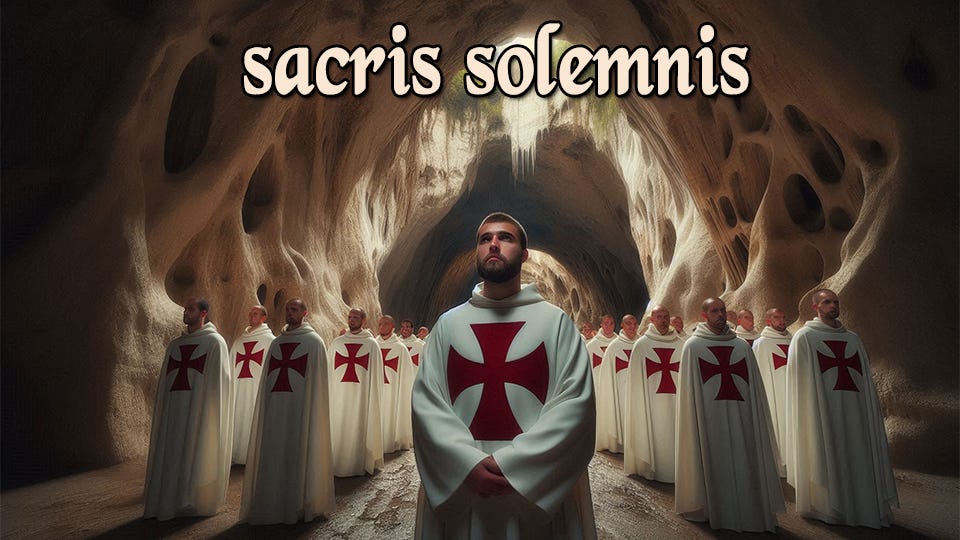
Much better, and after resizing to 960 wide, it only required the removal of 9 pixels of excess height to meet the requirements. It even left a nice space for the song title in the middle of the image as an added bonus.
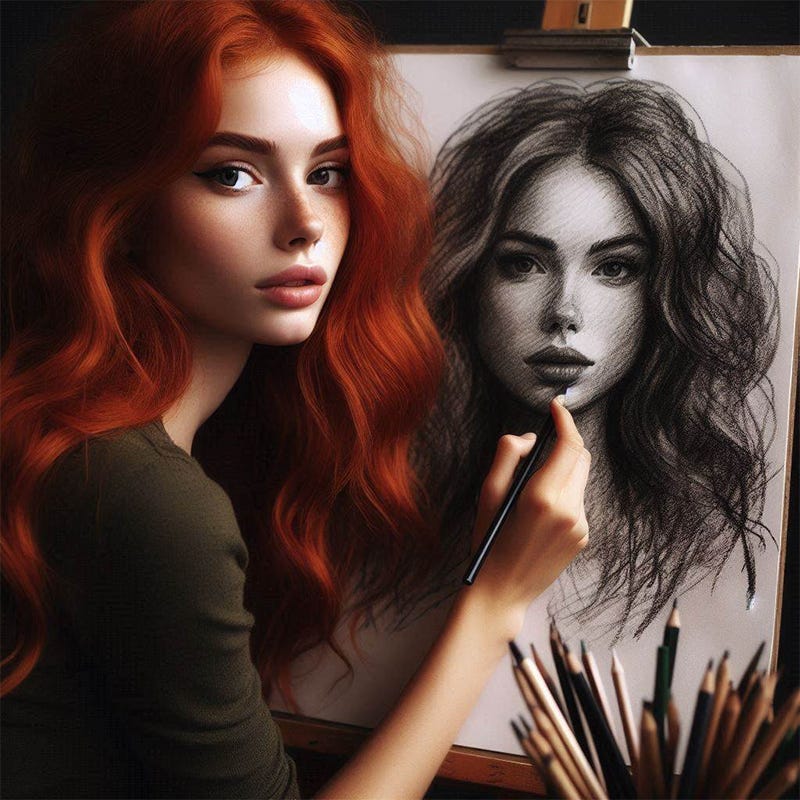
The cover image for this post was produced by exactly the same process described above; only the initial prompt differed. Below is the original prompted image, which was then transformed by the resizing into landscape mode, then reduced to the 512 x 340 size utilized for the post header image.
The images produced by Bing aren’t particularly fancy and the scope of the permitted prompts are limited, but I’ve tried a number of image generating AIs and I’ve yet to find one that provides suitable, attractive images as quickly and reliably as Bing, and it’s impossible to beat the price.
Thankyou, this is exactly the kind of pointers I am looking for.
I used Bing mostly because of the convenience, I already had the Microsoft account and one day it just showed up there. Good to know I don't need to search around for other, better, options unless I want to pay for something.
Does anyone know of any useful free video creators? Or is that something you'd have to spend money on? Could be a lot more resource intensive, the kind that the AI companies can't justify giving free samples of.